

A well designed website is crucial for user engagement, brand credibility, and conversions. However, many designers fall into common traps that hurt usability and effectiveness. Here’s a breakdown of frequent web design mistakes and how to avoid them to create a seamless, user-friendly experience.
1. Cluttered and Overcomplicated Layouts
A website with too many elements, excessive text, or competing visuals can overwhelm visitors, making it hard to navigate. Simplicity is key. Stick to a clean layout, use whitespace effectively, and ensure that the most important information stands out.

How to Fix It:
- Follow a minimalist design approach.
- Limit distractions by using a clear content hierarchy.
- Keep ample whitespace to improve readability and focus.
2. Poor Navigation
If users struggle to find what they need, they will likely leave your site. Navigation should be intuitive and seamless.


How to Fix It:
- Use a simple and consistent navigation menu.
- Ensure key pages like “About,” “Services,” and “Contact” are easy to access.
- Implement breadcrumbs and a search function for large websites.
3. Slow Loading Speed
A slow website kills user experience and hurts SEO rankings. Studies show that visitors abandon a page if it takes more than three seconds to load.
How to Fix It:
- Optimize images by compressing them. Use tools like TinyPNG, ImageOptim, and Kraken.io to reduce file size without sacrificing quality.
- Use caching and content delivery networks (CDNs) to improve speed.
- Minimize HTTP requests and remove unnecessary plugins.
4. Lack of Mobile Responsiveness
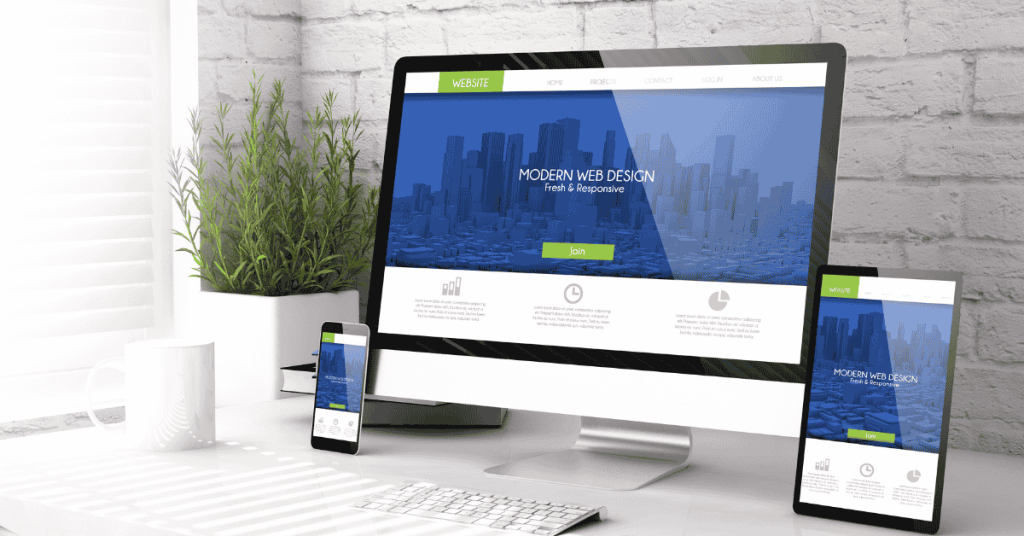
Over 50% of web traffic comes from mobile devices. If your site doesn’t function well on smaller screens, you’re losing a significant audience.
How to Fix It:
- Use responsive design to ensure your site adapts to all screen sizes.
- Optimize font sizes, button placements, and navigation for touchscreens.
- Test your website on multiple devices.
5. Weak Call-to-Actions (CTAs)
If visitors don’t know what to do next, they won’t take action. A weak or missing CTA means lost leads and conversions.
How to Fix It:
- Make your CTA buttons stand out with contrasting colors.
- Use action-oriented language like “Get Started” or “Download Now.”

- Position CTAs strategically throughout the site.
6. Using Low-Quality Images and Graphics
Poor-quality visuals make a website look unprofessional and untrustworthy.
How to Fix It:
- Use high-resolution images and optimize them for web use.
- Leverage stock photos sparingly and invest in custom graphics.
- Maintain visual consistency across the site.
7. Inconsistent Branding
A lack of consistent colors, fonts, and messaging can confuse visitors and weaken your brand identity.
How to Fix It:
- Develop a brand style guide for fonts, colors, and logo usage. Check out what is a brand style.
- Ensure uniform branding across all pages.
- Use the same tone and voice in your content.
8. Ignoring SEO Best Practices
Without proper SEO, your website won’t rank well on search engines, limiting traffic and visibility. Better SEO improves your website speed which reduces bounce rates.
How to Fix It:
- Use keyword-rich headings and meta descriptions.
- Optimize image alt tags and URLs.
- Ensure fast loading speeds and mobile-friendliness.
9. Auto-Playing Videos and Music
Nothing frustrates users more than a video or music playing unexpectedly upon entering a site.
How to Fix It:
- Avoid auto-playing media unless absolutely necessary.
- Provide clear play/pause controls.
- Ensure content loads fast and doesn’t interrupt the user experience.
10. Lack of Contact Information
A website without accessible contact details reduces trust and makes it difficult for potential clients or customers to reach out.
How to Fix It:
- Place contact information in the footer and on a dedicated “Contact” page.
- Include multiple ways to reach you, such as email, phone, and social media.
- Use a contact form for user convenience.
Avoiding these common web design mistakes can improve user experience, increase engagement, and boost conversions. By prioritizing speed, responsiveness, branding, and usability, your website can stand out and achieve its full potential.
Want to learn more about optimizing your website? Check out Google’s PageSpeed Insights and Moz’s SEO Guide to improve performance and rankings.