
Minimalist web design is about stripping away the unnecessary and focusing on what truly matters. In today’s digital landscape, where users have short attention spans, a clean and functional website can make all the difference.
What is Minimalist Web Design?
Minimalist web design is the practice of creating websites that are visually simple yet highly effective. It involves using a limited color palette, clean typography, ample white space, and a focus on essential elements. The goal is to enhance user experience (UX) by eliminating distractions and making the website intuitive.
Why Minimalist Web Design Works
Minimalist design is effective because it aligns with how users interact with your websites. Here’s why it works:
1. Faster Load Times
A cluttered website with excessive images, scripts, and animations can slow down loading speed. Google has confirmed that site speed is a ranking factor, making minimalism not just a design choice but an SEO strategy.

According to Google’s PageSpeed Insights, fast-loading websites rank better and provide a better user experience.
2. Enhanced User Experience
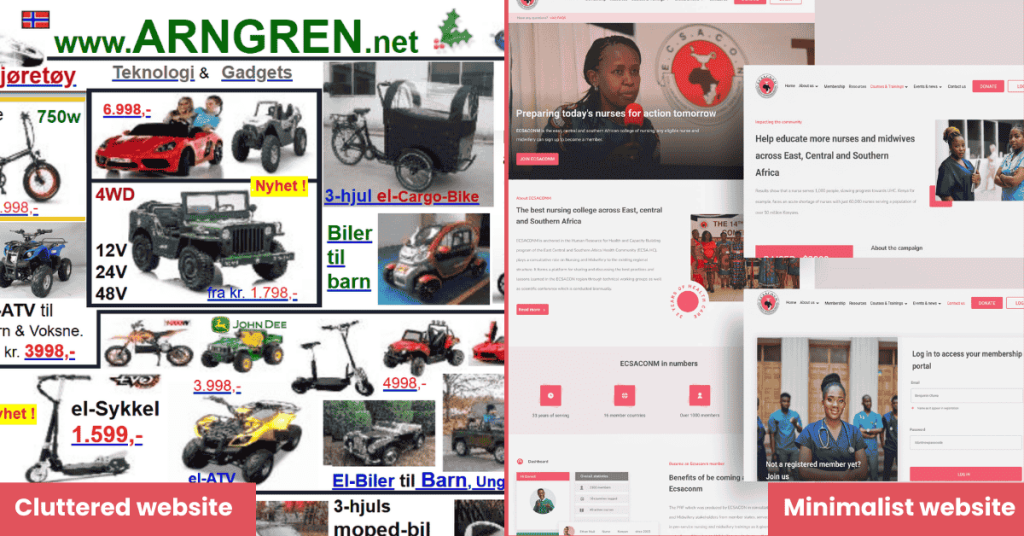
Minimalist websites make navigation seamless. When users visit a site, they should instantly understand where to click and how to find information. Cluttered layouts overwhelm visitors, while minimal designs provide a clear, focused experience.
3. Better Mobile Compatibility
With mobile traffic surpassing desktop traffic, having a design that adapts well to smaller screens is crucial. Minimalist designs naturally scale better across devices, ensuring that mobile users don’t have to deal with cluttered interfaces.
4. Stronger Visual Hierarchy
By using minimal elements, designers can emphasize the most critical content. A well-placed call-to-action (CTA) stands out more on a clean background than on a cluttered page.
Key Elements of Minimalist Web Design
To create a minimalist website that captivates users and drives conversions, follow these essential principles:
1. Use a Limited Color Palette
Minimalist designs often stick to neutral colors, such as white, black, and gray, with one or two accent colors. Brands like Apple and Google use this approach effectively.
2. Typography Matters
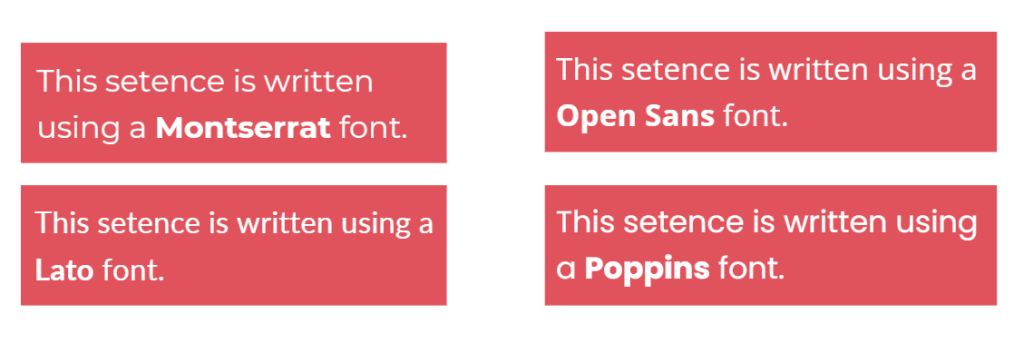
Clean, readable typography enhances user experience. Sans-serif fonts like Open Sans, Poppins, Lato, or Montserrat are popular choices for minimalist designs.
3. Make whitespace Your Friend
Whitespace (negative space) is the empty space between design elements. It improves readability and draws attention to key content. A study by Crazy Egg found that whitespace improves comprehension by up to 20%.
4. Simplified Navigation
A complex menu can confuse users. Stick to a simple navigation bar with 4-7 main items to ensure visitors can easily find what they need.

5. High-Quality Imagery
Instead of cluttering your site with multiple images, use a few high-resolution visuals that align with your brand’s message.
Check out how apple has used images on the website.
6. Intentional Use of CTAs
A minimalist design helps CTAs stand out. Use contrasting colors and clear, action-driven text like “Get Started” or “Contact Us.”
Examples of Minimalist Web Design in Action
Apple
Apple’s website is a masterclass in minimalism. With large product images, clear typography, and strategic whitespace, their site directs focus exactly where they want it.
Dropbox
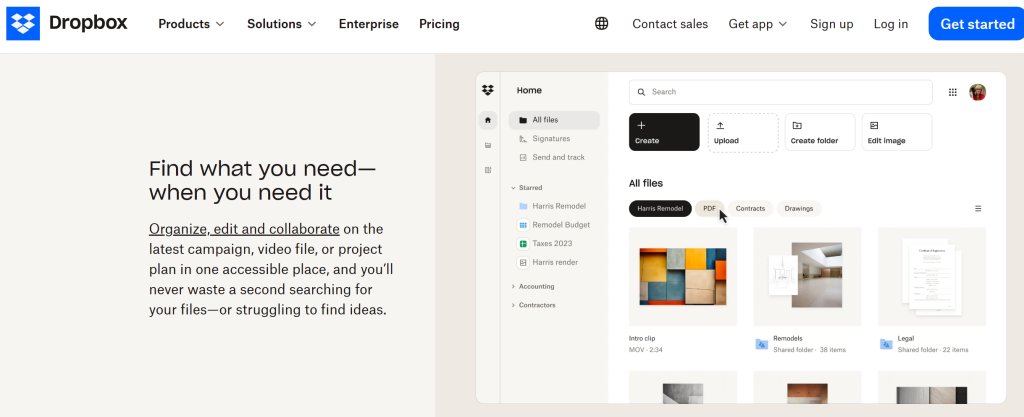
Dropbox uses a clean, minimal layout with a simple headline, CTA, and soft color palette, making their value proposition clear within seconds.
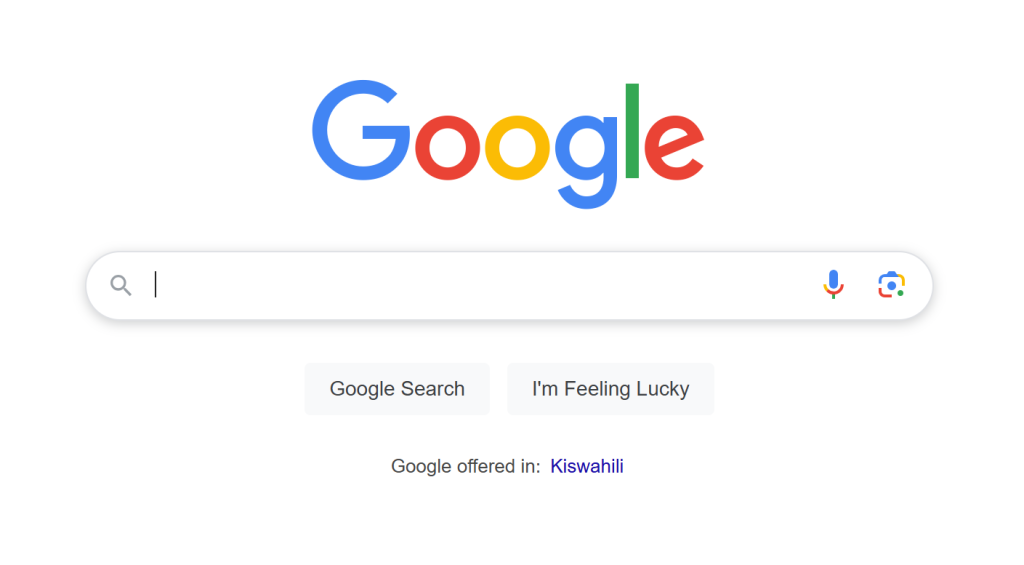
Google’s homepage is one of the best examples of minimalist design—just a search bar and a few navigation links, ensuring an uncluttered user experience.
How to Implement Minimalist Web Design on Your Site
1. Start with Wireframing
Before jumping into design, create a wireframe to map out the essential elements of your site. Tools like Figma and Adobe XD can help visualize your layout.

Check out this comprehensive guide on what is a wireframe.
2. Prioritize Content
Decide what’s truly necessary. Every element should serve a purpose. Remove anything that doesn’t enhance user experience or drive conversions.
3. Optimize for Speed
Minimalist websites naturally load faster, but optimizing images, reducing HTTP requests, and using a content delivery network (CDN) can further improve performance.
4. Test and Iterate
A/B test different layouts to see what works best. Tools like Google Optimize can help analyze user behavior and optimize design elements accordingly.
Note
Minimalist web design is not just about aesthetics, it’s about functionality, usability, and creating an engaging user experience. By eliminating distractions, prioritizing speed, and using a clean layout, businesses can drive higher engagement and conversions.
Embrace minimalism today and watch your website transform into a powerful tool that enhances brand perception and boosts conversions.
You might also like: How to build websites with zero coding skills.